ESP32 Remote for Home Assistant, Update 2
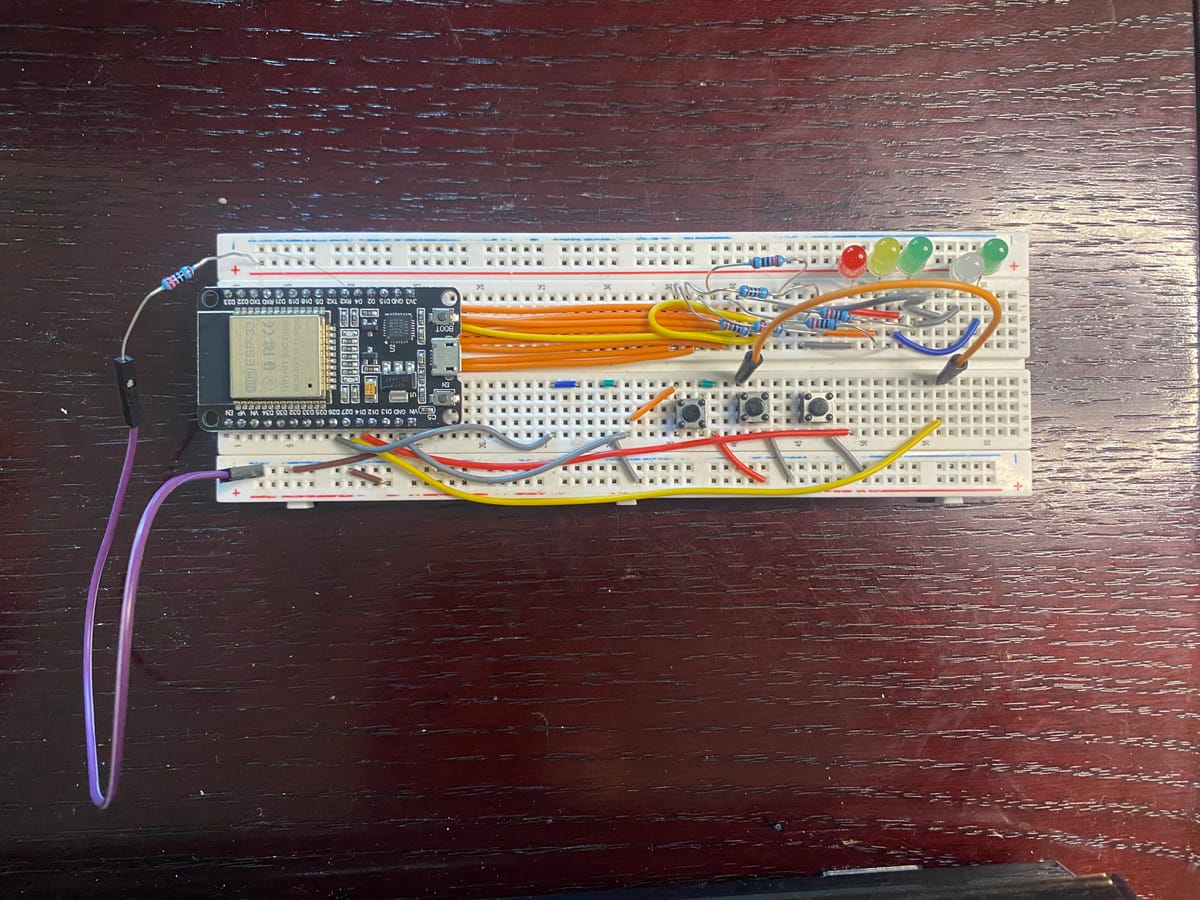
In previous posts I detailed my plan and progress on making a remote control for my smart home devices. I have to say this has been a project with a lot of new rabbit holes. To recap, I installed Home Assistant OS on a Proxmox install. I could have opted for a docker but I chose this given how many devices will rely on this install and the ease of use when adding third party integrations. I had to learn YAML coding to code the ESP32 with ESP-home add-on. I chose this because I can run and push the code to the devices easily from the HA interface rather than opening Adrino studio or connecting the device to my computer.
The main issue I ran into making this was the lack of pins, or rather lack of access to all the pins. The spacing of the breadboard I was given is so that I can only access one side of the board.
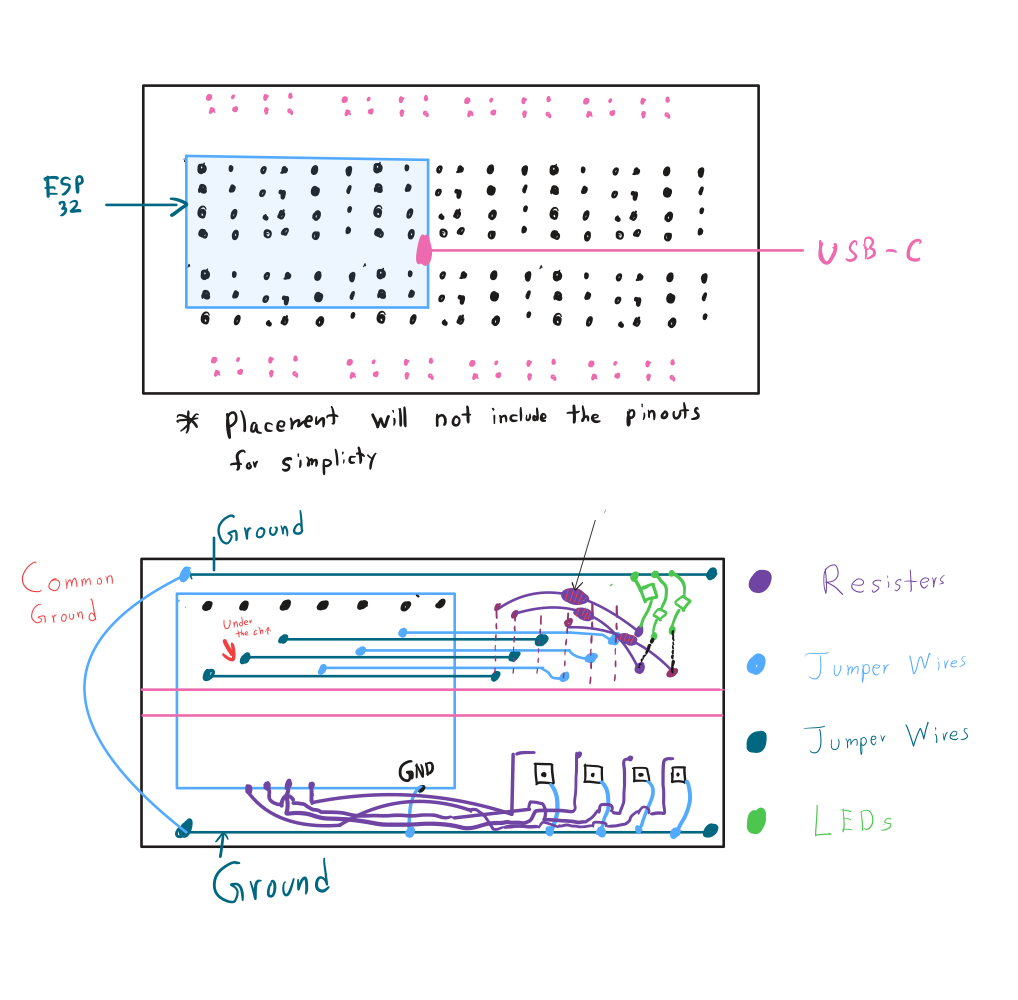
I decided to make do with it and add some jumper wires on to bottom so I can access the pins on the right side. This allows me to keep one side dedicated to all the LEDs and another for switches.
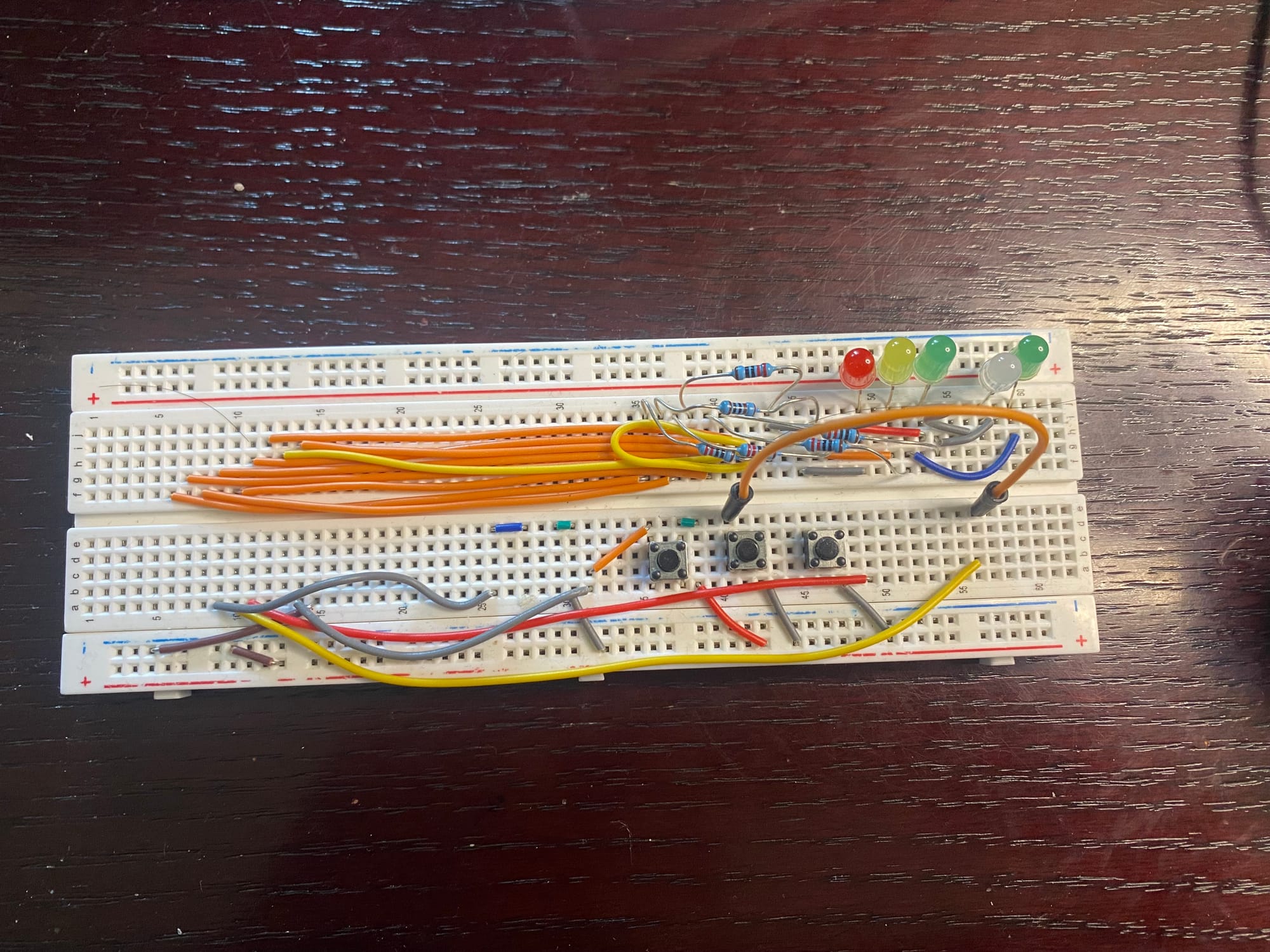
The top side runs wires that copies the pin diagram of the ESP32 but on the lower half of the board, with each line having its own trench. A resistor sits between the pin connection and the LED that makes this a parallel circuit allowing me to use a common ground.
The bottom wiring is a little unpleasant but will work for a prototype . each line going to a separate pin on the left side of the PCB. I decided to pull a jumper and make both sides of the breadboard have a common ground that connects to all the buttons and LEDs.
Only Issues I have had been the buttons not staying on the board properly no matter what I try. I have tried all the different ways to put them but almost all of them try to jump up and down.
Each button is set to broadcast a event which triggers a automation setup in Home Assistant. Having a hard coded event means I only have to mess with the Home Assistant settings to change what happens with each button, reducing the need to re-flash the code.
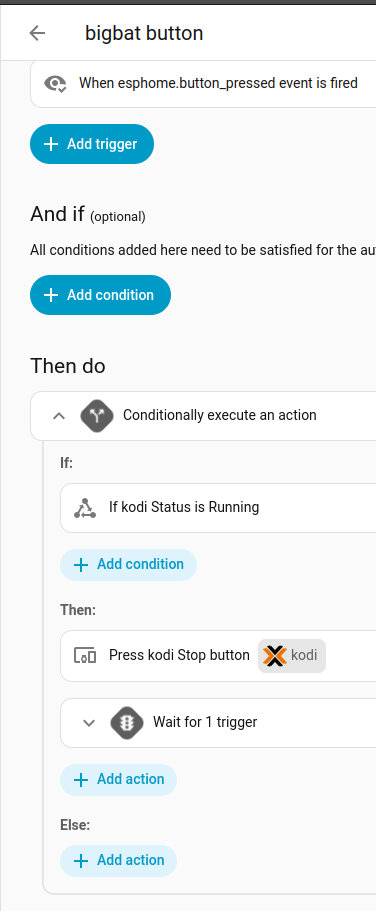
For the time being, this remote controls my computer which can switch between my main Ubuntu VM, Windows based gaming only VM, and Kodi for watching my TV shows and movies. There are more I want to connect this and Home Assistant since it has so many built in integrations.
Thanks for reading this update !!! Check out my Wiki and YouTube channel for more updates and in depth tutorials.
Mark Anthony out