ESP Remote Update 1 - Button and LED status working !!!
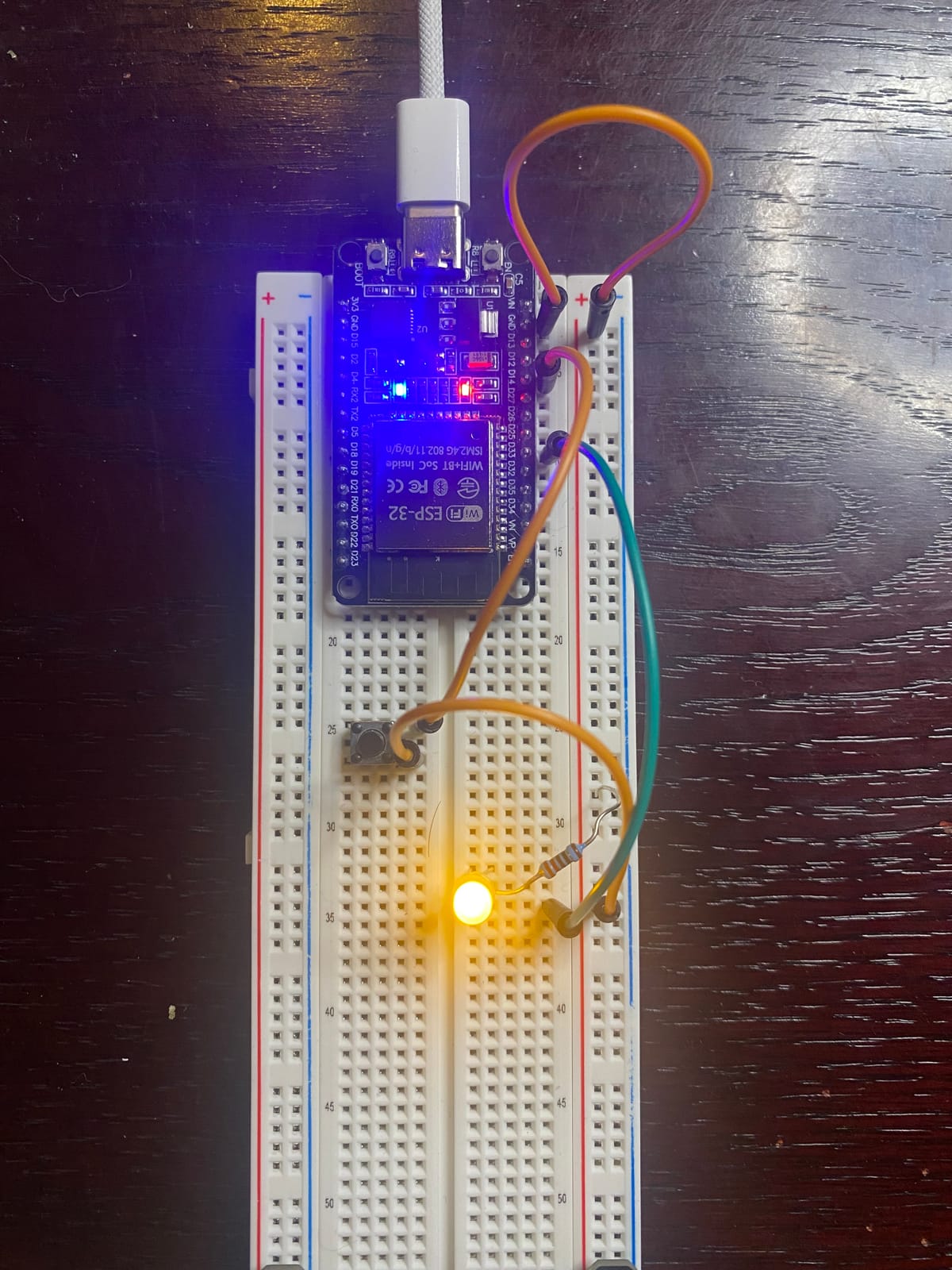
I am very excited to update that I got the button and the status LED working on the ESP32 home with Home Assistant. The original idea of this was to have a bar of buttons with LEDs showing the status of the VMs and my server applications in real time without me having to log into a computer.
First thing I did was to get the LED working on its own which was easy by searching on YouTube. First video I found useful was this video by Learn Fast Make Things. He showed me how to make a UI button for a LED and the syntax on how to make a LED and wire it up. This was VERY exciting to see the the LED controlled with my phone.
Getting the button to work was very hard. I checked the Wiki for ESP32 Home and it was not helpful. I get it is just giving the commands to use but as a first timer it was very not helpful, I think some examples would be very helpful. This video about a 3D printer project that already had a code base ready to go. I used this code to see how they really did the coding and it was 10x helpful than reading the official documentation. This project has a lot of other things like a LCD and a per-made menu you can add to HA to change the functions.
The way they did was to send a HA 'event' when the button is pressed and use that to activate an automation which we program anytime without messing with the code. If you look at the picture this board is going to run out of space really fast. I am planning to use the HA scenery option to work the buttons more easily given I cannot have too many buttons.
I also got the LED to work on its own by checking a sensor 'status' and lighting up depending on the status of the sensor. If a VM is 'running' then LED 100% type if statement keeps the status lights independent of any automation.
As always the code I used for this part is in my Wiki down below to see an example.
Thanks for reading.